Start with one question: what do you need to see at each point?
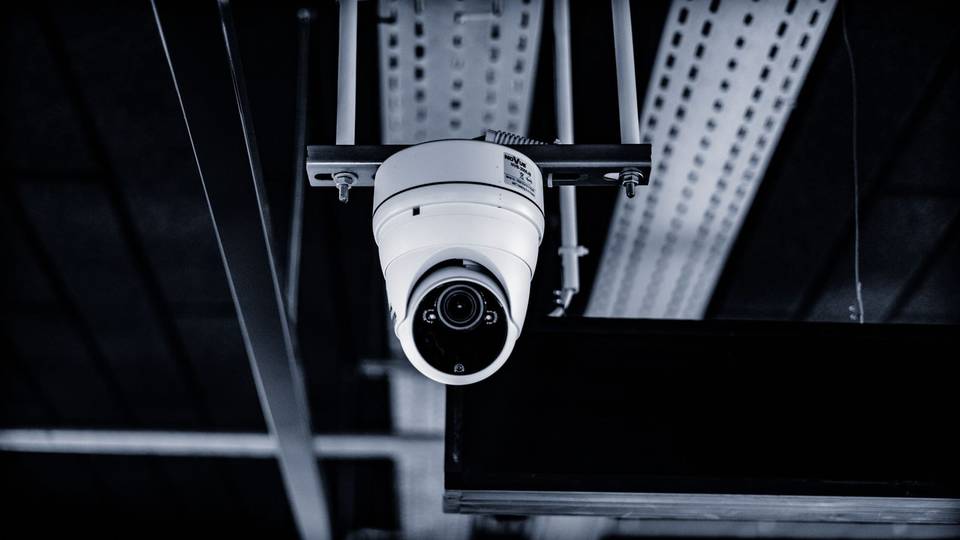
Installers think about a camera’s job in three levels. Observation: you see what is happening and how many people are there. Recognition: you can make out clothing and movement and follow someone around. Identification: the face is clear enough to tell who it is, or you can see what happens at the till. Each level needs more detail — a closer camera, a narrower lens or a higher resolution.
Sketch your floor plan, mark every point that matters and note the level next to it. The entrance usually needs identification, the till needs hands, drawer and screen, and aisles and dining areas need observation or recognition. It also makes quotes comparable.
Some commercial activities may be required by regulation to cover points such as entrances, exits and cash points. If yours is one, those points are not optional — see surveillance camera compliance and camera rules for businesses.
Field of view and distance: why one wide camera is not enough
The commonest mistake is one wide-angle camera in a corner that “covers the whole shop”. It does, but someone standing at the door is so small their face is a blur. The wider the angle or the longer the distance, the less detail each face gets.
The rule: wide lenses for short distances and general views, narrower or varifocal lenses for longer distances and identification points. A mid-resolution camera with the right lens three metres from the door gives a clearer face than a very high-resolution camera at the back of the room. Ask about lens and distance, not resolution alone.
Light matters too. Glass shopfronts at midday create backlight that turns people into silhouettes; the answer is wide dynamic range (WDR) or an angle that doesn’t face the sunny street. At night, frontages and car parks need infrared or proper lighting.
Example one: a small shop (grocery, phone shop or perfumery)
Picture a small shop on a commercial street: one glass entrance, a till near the door, two or three aisles and a small stockroom with a side door. The installer usually starts with a camera inside the entrance, aimed at the door so every face is visible — pointing inwards, not at the street.
Then the till: a camera above or behind the counter at an angle that shows the cashier’s hands, the drawer and the card terminal, without capturing a customer’s PIN.
Aisles only need observation: a camera at the end of each long aisle, or one wide camera seeing two short ones. The stockroom needs a camera on the back door and the delivery spot, because many stock discrepancies start there. The result is a modest number of cameras, each with a clear job. More on our shops page.
Example two: a café with outdoor seating and a drive-through
People stay longer in a café, there is often outdoor seating and sometimes a drive-through window. The entrance and till follow the shop logic: one camera for faces at the door, one on the payment point.
The drinks bar deserves its own camera if it holds cash or valuable stock such as coffee beans and machines. The drive-through needs a camera showing the car and the hand-over, and another if customers pay at the window. Outdoor seating is usually fine with one or two wide cameras with night vision, since most café traffic here comes after maghrib.
Privacy gets real here. The main seating area is a public part of your premises, but family sections and screened areas need more thought: cover the entrances and walkways leading to them, and avoid close-up cameras on the tables.
Example three: a mid-size restaurant, from the receiving door to the pass
A restaurant with family and singles halls, a kitchen, a store and a car park is where the count really rises. At the front: the main entrance, the till, the family entrance if separate, and the waiting area for delivery riders.
At the back is the receiving door, where supplier quantities are checked and signed for; a camera on the door and table settles many disputes. In the kitchen it is usually enough to cover the pass, where plates leave for the hall or delivery, and the doors to the cold rooms and store. A camera over the cooking line for hygiene is reasonable if staff know about it and it doesn’t reach their rest or changing areas.
Kitchen cameras face steam, grease and heat, so choose sealed housings and clean the lenses regularly or the image goes hazy within months. More on our restaurants and cafés page.
Car parks and the outside of the building
With your own car park, a camera on its entrance helps with minor collisions and vehicle movements, and a wide camera covers the parking area. Reading number plates needs a dedicated narrow-angle camera at a calculated distance — not a general one.
Outdoor cameras here face summer heat, dust and, in coastal cities such as Jeddah and Dammam, humidity. Ask for a suitable outdoor rating, mount cameras under a canopy where possible, and measure the cable run to the recorder, because it affects which system fits — see IP vs analog cameras.
Stay within your boundaries: the public street, neighbouring shops and windows opposite are not for your cameras. Adjust the angle or use privacy masking to black out what isn’t yours.
Places you never film, and how to handle recordings
Some places never get cameras: toilets, changing and fitting rooms, and any place of a private nature. We also consider it sound practice not to film staff rest rooms or accommodation, or the inside of a prayer room, where there is no security need. Cover the corridor leading to it if needed.
Where cameras are allowed, put up a clear sign and tell staff where the cameras are and why. An image of an identifiable person is personal data, so protect recordings with a strong password, limit access to one or two people, and never post clips on social media; keep them and hand them to the authorities if asked.
Finally, retention: camera count and resolution decide the disk space needed for the period your activity requires, so add storage when you add cameras. See recording retention.
FAQ
Exactly how many cameras does a small shop need?
No single number fits every shop. It depends on entrances and back doors, the aisle layout, where the till and stockroom are, and the detail you need at each point. Mark the points on a plan and let the technician propose the number after the survey.
Can one PTZ camera replace several fixed ones?
No. A PTZ camera looks one way at a time and may be pointing elsewhere when something happens. It helps in large spaces such as car parks, alongside fixed cameras on the key points.
Can I add cameras later?
Yes, if the recorder has free channels and the switch has spare ports. Ask for spare capacity in the quote if you expect to expand.
Do you decide the number of cameras or install them?
No. SaudiSecurity compares offers: with your consent we pass your request to licensed installers, who survey, propose and install. See our business CCTV page.
This guide is general information, not legal advice. Rules and requirements can change — always confirm with the competent official bodies and a licensed installer before deciding.